
OMikkels Store
ESX Scripts
Showing all 3 results
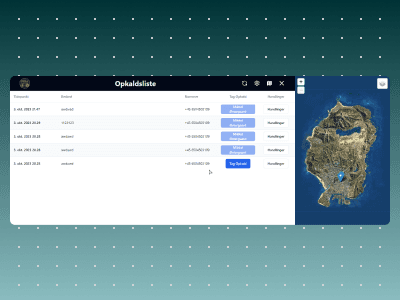
QBCore, ESX, vRP
Call List
250,00 kr.
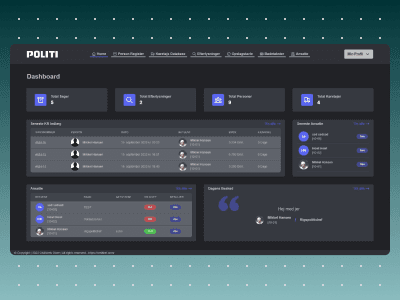
QBCore, ESX, vRP
Police Tablet
650,00 kr.
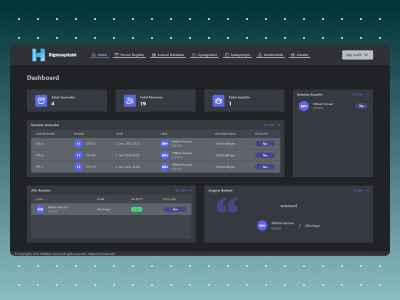
QBCore, ESX, vRP
EMS Tablet
500,00 kr.
Resources built for ESX servers
ESX is the other long-standing economy framework for FiveM. Plenty of servers still run it, either as it ships or with a heavily extended job and account system, which is why an ESX store page is not the same as a general FiveM one: the resources here are the ESX versions.
ESX setups differ a lot from server to server, so the product page is the page that matters. It carries the feature list, screenshots and a showcase video, and it is what you should compare against your own jobs and accounts.
What is in the ESX category
The line-up mirrors the QBCore catalogue: the Police Tablet, the EMS Tablet, the Call List, the Welcome Menu and the Identity Menu, in their ESX versions. Whether a given one fits your server depends on your jobs and onboarding, so read its product page first.
If your server runs QBCore or vRP instead, the store page links to those categories and the same product families are there.
Delivery, installation and support
Checkout puts the resource, its license key and its download in your account, where they stay, so you can come back for the files later without asking anyone.
To install, drop the folder into your resources directory, add `ensure <resource-name>` to server.cfg and restart the server. Anything that goes wrong on start-up, send the console error through the contact page or Discord and we will work through it with you.
Frequently asked questions
- Are these ESX or QBCore resources?
- These are the ESX versions. The same product families are also sold for QBCore and vRP in their own categories.
- Where do I download the resource after buying?
- From your account: the download and the license key are attached to the order once the payment goes through.
- Will a resource work with my custom ESX jobs?
- Ask before buying if your jobs are heavily customised. It is quicker than finding out after checkout.